
Implementation and operations
Recurring workflows: preserve local time across clock changes
Design recurring automations with named time zones, explicit daylight-saving rules, previewed occurrences and a separate policy for missed runs.
Why this workflow needs an operating contract
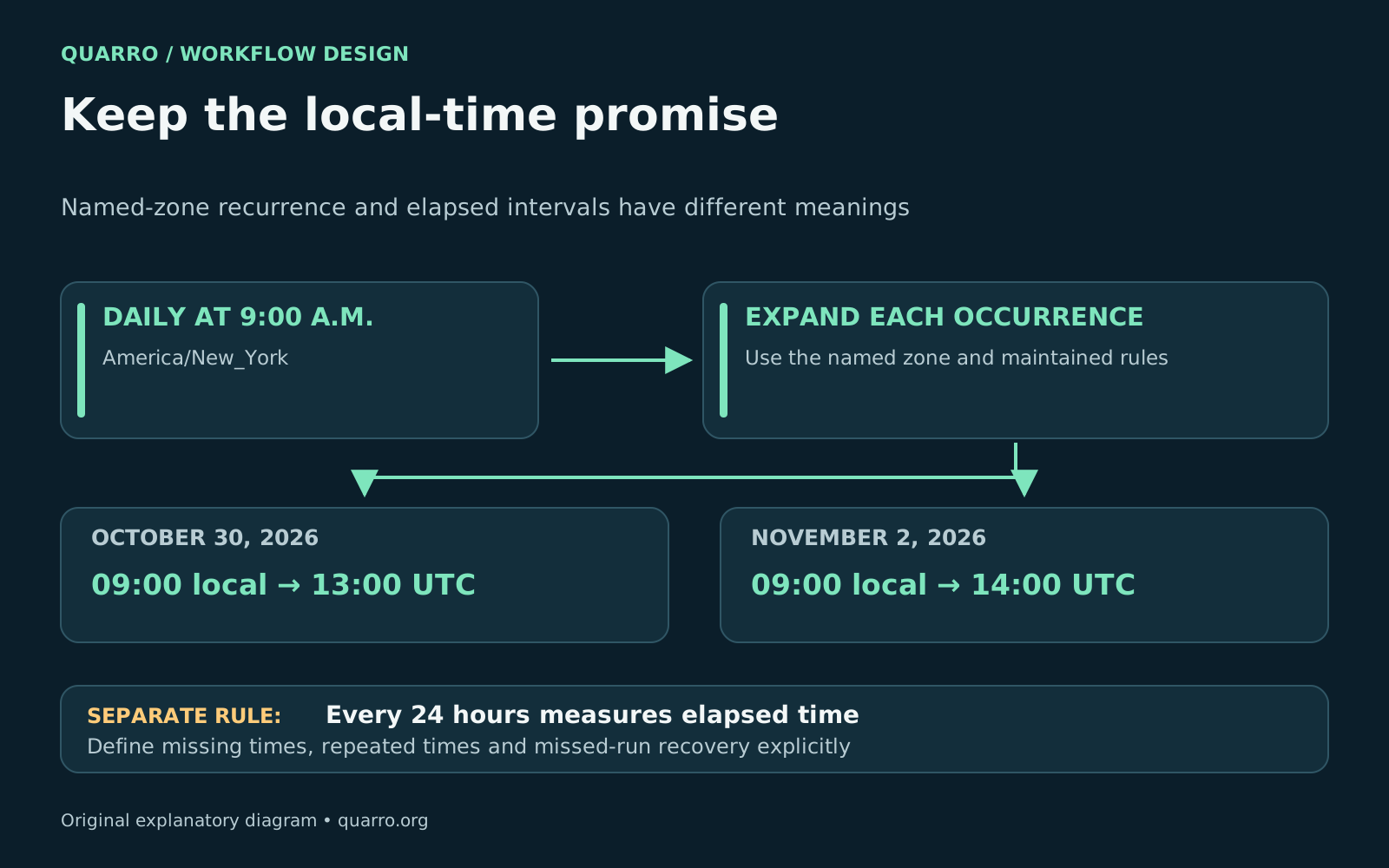
A recurring business workflow should store the intended local time, a named time zone and an explicit rule for clock-change edge cases. Expand the recurrence into actual occurrences for execution, and keep a separate policy for missed or delayed runs. “Every day at 9 a.m.” and “every 24 hours” describe different schedules. That distinction matters for dispatch summaries, branch-opening checklists, customer reminders and daily reporting cutoffs. A job that looks correct during one season can shift relative to the business when the local UTC offset changes. The schedule may still be running exactly as configured while arriving at the wrong operational time.
Separate a wall-clock rule from an elapsed interval
Ask the process owner which meaning they intend. A wall-clock rule follows the local calendar, such as every weekday at 9 a.m. in New York. An elapsed interval runs after a duration, such as 24 hours after the previous scheduled instant. An all-day deadline is a third concept and should remain a date in its relevant business context. Store a named zone such as America/New_York with a local recurrence instead of replacing it with a fixed offset. The <a href="https://www.iana.org/time-zones">IANA Time Zone Database</a> tracks rules that can change. Abbreviations such as EST are easy to misuse when the intended meaning is New York local time throughout the year. For an illustrative 9 a.m. New York schedule, October 30, 2026 corresponds to 13:00 UTC, while November 2 corresponds to 14:00 UTC under the time-zone rules checked for this article. The wall-clock time stays constant. Store execution timestamps in UTC for comparison and logs, while retaining the original local rule and zone for future expansion.
Know how the selected scheduler interprets the rule
The <a href="https://developers.google.com/workspace/calendar/api/concepts/events-calendars">Google Calendar API</a> uses IANA time-zone identifiers and requires a time zone for expanding recurring events. That is useful when a workflow is attached to a calendar series, but it does not establish how a separate job scheduler handles the same text. <a href="https://docs.aws.amazon.com/scheduler/latest/UserGuide/schedule-types.html">Amazon EventBridge Scheduler documentation</a> distinguishes time-zone-aware cron schedules from rate schedules. For its cron schedules, a nonexistent spring-forward time is skipped, and a repeated fall-back time runs once. Its day-based rate intervals represent 24 hours. Other products can make different choices, so test the implementation you actually operate. Record the chosen behavior in the runbook. If the business requires a skipped local time to run at the next valid time instead, the implementation needs an explicit supported rule or recovery mechanism. Do not assume the provider’s default matches that requirement.
Decide what to do with missing and repeated times
Clock changes create two distinct questions. A local time can be missing when clocks move forward, or it can refer to more than one instant when clocks move backward. Decide whether a missing time should be skipped, moved or escalated, and whether a repeated time should run once or at each occurrence. In Python, <a href="https://docs.python.org/3/library/zoneinfo.html">zoneinfo supports the fold attribute</a> to distinguish ambiguous repeated times. That is a representation tool, not a business policy. Applications still need to validate the requested local time and select the intended occurrence. Cross-platform deployments also need available time-zone data; do not rely on a developer’s machine supplying it implicitly. Avoid placing routine jobs inside known transition hours when the business allows a simpler time, but keep the edge-case tests. A configurable customer schedule may eventually select one of those hours.
Keep recurrence separate from catch-up behavior
A correctly expanded schedule can still miss execution because of downtime, a paused worker or unavailable dependencies. Define what happens when service resumes: skip the old occurrence, run the latest one, or process every missed occurrence within an approved window. A reminder and a reporting calculation may need very different recovery behavior. Assign each scheduled occurrence a stable identity that includes the schedule revision and intended instant. Use that identity to detect duplicate attempts. Record scheduled time, actual start, completion state and any reason for skipping. If the recurrence changes, make it clear which revision owns already-created work. A catch-up action that sends messages or changes external systems still needs the appropriate business authorization. Technical recovery should not silently expand the audience, repeat a completed action or turn an old reminder into a new commitment.
Preview the next occurrences before enabling the workflow
- Show the next several local and UTC execution times to the process owner - Include occurrences on both sides of applicable clock changes - Test a zone without daylight saving and a zone with different transition dates - Check calendar-date deadlines separately from timed events - Simulate a missed run, duplicate attempt and a schedule edit - Verify logs and user-facing confirmations show an unambiguous zone Use a maintained time-zone data source and include updates in normal application maintenance. When a rule changes, compare newly expanded future occurrences with the intended business schedule before release. Clear previews and a short runbook make this behavior supportable long after the original developer leaves. Scheduling often connects to <a href="https://quarro.org/blog/field-service-job-complete-invoice-ready/">field-service completion workflows</a> and <a href="https://quarro.org/blog/custom-software-support-handoff/">custom-software support handoffs</a>. It is one of the operational details worth settling during <a href="https://quarro.org/">workflow implementation</a>.