
Custom software
Who Owns the Tool After Launch? A Practical Custom-Software Handoff
A custom application needs an operating arrangement as well as a release. Make ownership, support boundaries, and recovery procedures clear enough for someone beyond the original builder to use.
Begin with the next ordinary problem
A fictional distributor launches an internal purchasing tool. The first week goes well. Later, an employee sees yesterday’s supplier status, a new colleague needs access, and a manager requests a different approval rule. These issues need different decisions, even though each might arrive as “the app needs help.” A useful handoff prepares the team for these ordinary situations. It identifies who understands the business rule, who can inspect the software, and who keeps employees informed. It also defines what the support arrangement covers and when help is available. Review that arrangement before the original builder leaves the project or shifts attention. An application can pass its release checks while its operating responsibilities remain unclear. A handoff walkthrough gives the business a chance to discover that gap while the people who built the tool can still help close it.
Name four responsibilities explicitly
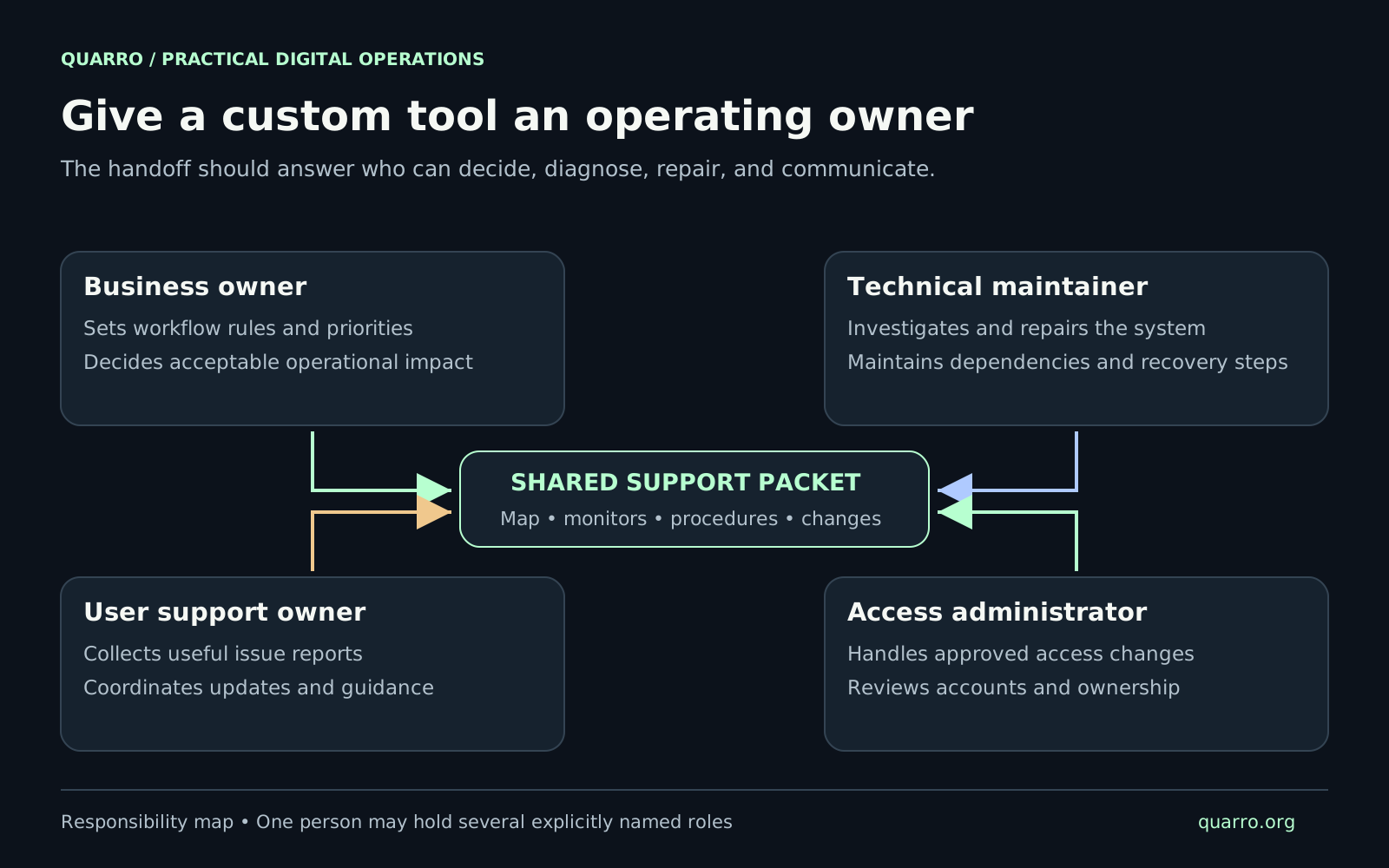
Assign a business owner to prioritize changes and decide workflow rules. This person should be able to answer whether a requested behavior is correct for the organization. The technical maintainer investigates failures, maintains dependencies, and implements approved changes. These are different responsibilities even when the same person holds both. Identify a user support owner for intake, guidance, and progress updates. Give access administration a named owner too, with an established route for approving, changing, and removing access. Avoid solving every request by handing out administrator privileges. For each responsibility, record a primary contact, a backup, and the coverage actually agreed. A small office tool may have business-hours support. A time-critical operation may need a different arrangement. Do not let an unqualified “supported” label imply round-the-clock availability or a repair deadline nobody has agreed to meet.
Build a support packet around real questions
Keep a concise system map showing the application, data stores, integrations, and scheduled work. Explain where important information originates and which system owns it. Link the current repository, deployment instructions, monitoring, change history, and approved support contacts. Document how to recognize a healthy workflow. For the distributor’s tool, that could include the expected supplier-refresh schedule, the last successful run, and where rejected records appear. A server being reachable does not by itself establish that yesterday’s import finished. Include the route for obtaining authorized access, but keep passwords, tokens, and recovery secrets out of the packet. Link to the organization’s approved access process instead. Record who owns vendor accounts and recurring service administration so a personnel change does not leave a critical dependency without a responsible contact.
Write procedures that support decisions
Start with a few plausible incidents: stale imported data, a failed scheduled job, a user unable to complete a form, or a service dependency being unavailable. Describe the symptom, the checks that distinguish likely causes, and the point at which the responder should escalate. AWS’s operational guidance recommends playbooks for investigating common issues, stored centrally and maintained as the workload changes. Its guidance pairs known root causes with appropriate runbooks. Apply that idea at a scale the team can maintain: a short, tested procedure is more useful than a large document nobody trusts. Mark the boundary between observation and repair. Reading job status is different from replaying an import or changing data. Each repair procedure needs prerequisites, the permitted scope, evidence of success, and instructions for stopping if the observed state differs from expectations. Avoid a generic restart instruction for every symptom.
Have someone else perform the handoff
Choose a person who will actually support the application and ask them to work through representative cases in a safe test environment. They should locate the correct procedure, find the relevant record, describe the business impact, and identify the next authorized step without private hints from the builder. Google’s SRE workbook describes combining training checklists, practical exercises, shadowing, and maintained playbooks when people take on operational responsibility. A smaller team can use a lightweight version: walk through a recent defect, practice a known recovery, and update unclear instructions immediately. Test the data recovery process where the tool depends on stored records. Confirm what a recovery would restore, what recent work could be missing, and how affected users would be informed. Keep the exercise isolated from production. A successful backup job alone does not demonstrate that the team can restore usable application data.
Keep support useful as the tool changes
Give users a simple way to report the affected task, approximate time, visible error, and relevant record reference. Ask for only the information needed to investigate. Screenshots and copied records can contain private information, so provide guidance on what to omit and where protected evidence belongs. Review recurring issues with the business owner. A confusing field may need a design change; repeated stale data may need better failure detection; a misunderstood rule may need clearer guidance. Keep these causes distinguishable so maintenance effort addresses the problem employees are experiencing. Treat a meaningful release as a prompt to update its operating material. Check whether ownership, dependencies, monitors, access procedures, or recovery steps changed. The final handoff test is practical: can the responsible team recognize a problem, find the right evidence, and take an appropriate next step? When it can, the custom tool has a foundation for useful daily operation.