
Custom software
Internal tools need complete keyboard task paths
Keyboard accessibility should be tested as a complete task, from finding a record to confirming the result. A page with individually reachable controls can still leave someone unable to finish the work if focus disappears, a dialog cannot be exited or the next record is impossible to locate.
The practical issue
Keyboard accessibility should be tested as a complete task, from finding a record to confirming the result. A page with individually reachable controls can still leave someone unable to finish the work if focus disappears, a dialog cannot be exited or the next record is impossible to locate.
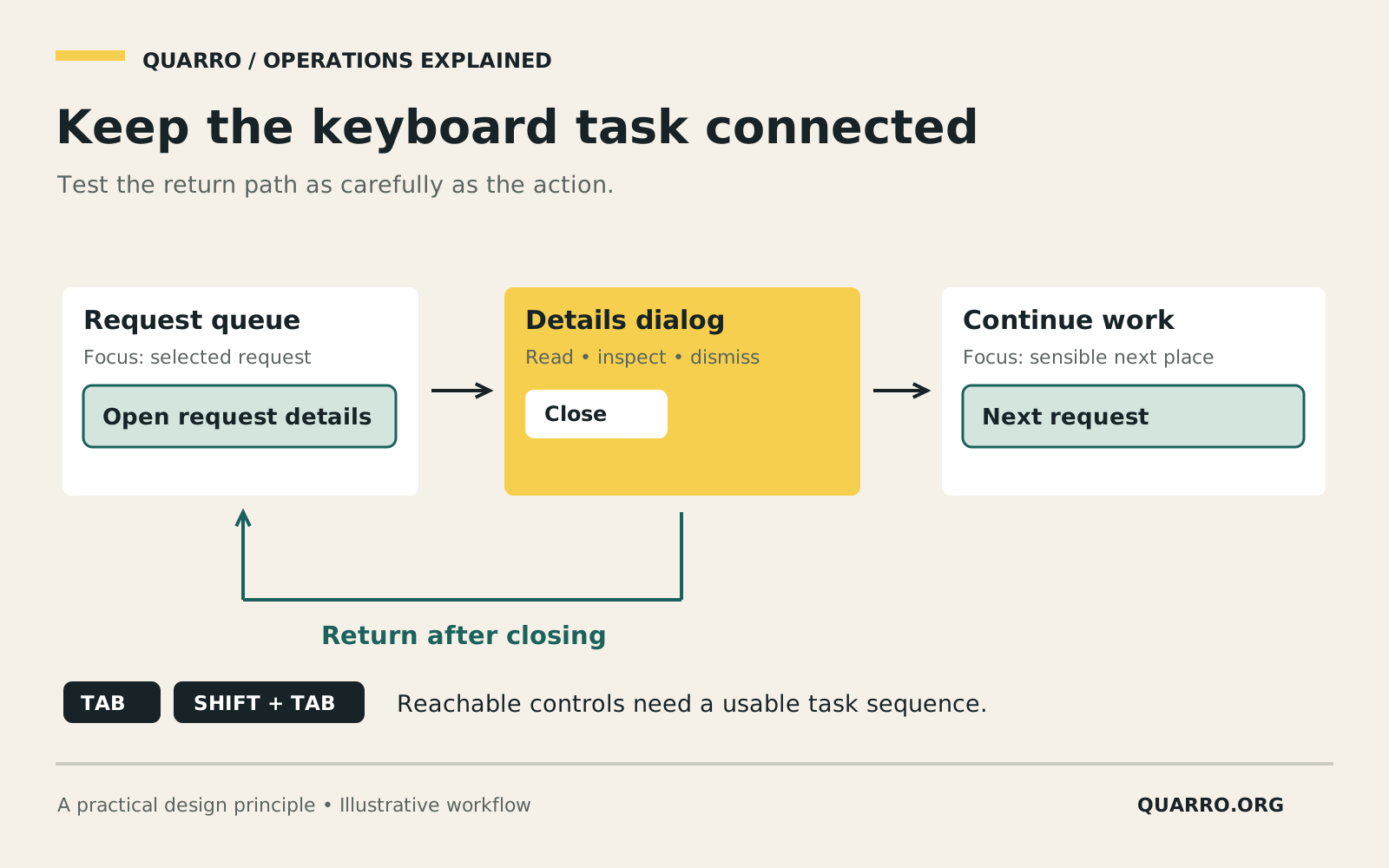
Imagine an illustrative internal purchasing tool. A coordinator searches for a request, opens its details, checks an attachment and returns to the work queue. Mouse-based testing may cover every step successfully. Keyboard-only testing can reveal a separate operational problem: closing the details panel sends focus to the beginning of the page, forcing the coordinator to find the same place again.
Move beyond a control-by-control checklist
A team may initially test whether buttons look right and whether the main action works. That approach helps catch visible defects but misses relationships between screens, controls and states. Internal tools deserve the same care as customer-facing products because people depend on them to carry out daily responsibilities.
W3C's explanation of keyboard accessibility describes making functionality available through a keyboard interface, with a limited exception for functions inherently dependent on a movement path. Its focus-order guidance explains that sequential navigation must preserve meaning and operability. These principles are a foundation for testing, not a claim that a short checklist establishes full accessibility conformance.
Define the route in business language
Choose a real task and write its stages: find a request, inspect the relevant details, take the permitted action and verify the new state. Identify which controls and information are necessary at each stage. The route should remain understandable without relying on pointer position, color alone or an instruction such as “click the icon over there.”
Use ordinary, well-supported controls where possible. A custom interactive element introduces behavior the team must implement and test. If a special grid or menu is justified, document its expected keyboard interaction and make that behavior consistent across the product.
For the purchasing example, label actions with enough context to distinguish repeated rows. A series of unlabeled icons is hard to interpret when encountered outside its visual layout. Verify names and relationships with appropriate assistive technology as well as with keyboard navigation.
Treat opening and closing as part of the task
Record where focus starts when a panel or dialog opens, how its controls are reached, how it is dismissed and where focus goes afterward. The expected destination should help the person continue their work. Returning to the invoking control may be appropriate; if that control no longer exists, choose a sensible next place.
Test both completion and cancellation. Also test when a record is removed from the queue by the action just taken. A focus rule that works for a static demonstration can fail when the list changes beneath it. Do not trap users inside a component or leave them uncertain about which element will receive their next keystroke.
Visible focus matters during these checks. Run through the workflow at the supported zoom levels and screen sizes. Confirm that sticky headers, overlays and scrolling regions do not hide the currently focused control. Record issues as specific task blockers rather than vague requests to “improve accessibility.”
Use acceptance tests that mirror repeated work
A useful test script for this example is: open the queue, reach a specific request, open and close its details, return to that request, perform an allowed action, then continue to another request. Repeat after filtering the queue and after an empty result. Include interrupted work, such as dismissing a dialog and reopening it.
Document the browser and assistive technology used, the expected behavior and the observed failure. Automated checks can find some implementation problems, but a passing automated scan does not prove that the route makes sense or that the task can be completed.
Prioritize the path people need next
Begin with the most important recurring task and fix the points where users become stranded. Involve people with relevant access needs when possible, compensate participation appropriately and avoid assuming one person's experience represents everyone.
Quarro can incorporate task-based accessibility checks into custom-software delivery and support. Keep the resulting test route with the product's release checks so future changes can be assessed against the same work. See [the custom-software handoff guide](/blog/custom-software-support-handoff/) for the ownership and support side of maintaining an internal tool.