
Data and reporting
Dashboard migrations need lineage notes before the old report is retired
A new dashboard can be technically correct and still lose trust if users cannot see how it relates to the report it replaces. Before the old report is retired, the migration needs lineage notes that explain source tables, transformations, owners, refresh timing and known differences.
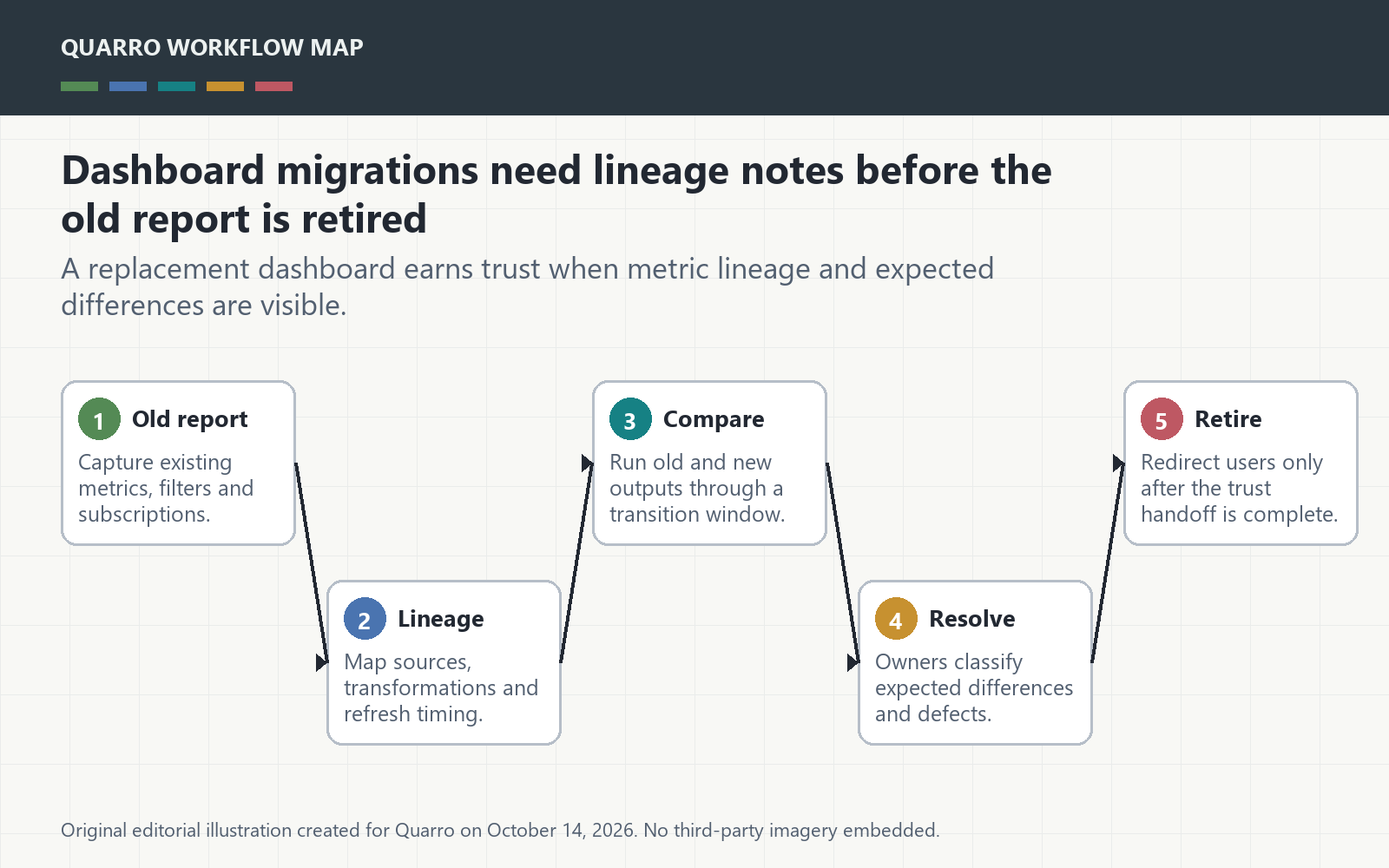
The answer: explain the path, not just the chart
A new dashboard can be technically correct and still lose trust if users cannot see how it relates to the report it replaces. Before the old report is retired, the migration needs lineage notes that explain source tables, transformations, owners, refresh timing and known differences. Otherwise every changed number becomes a meeting.
Lineage makes migration reviewable
Microsoft Purview describes data lineage as showing data movement from source to destination, including transformations. That idea is practical even outside Purview. A migration should show where each metric starts, how it changes and who owns the business definition before users are asked to trust the replacement.
Compare old and new during a transition window
Run both reports for a short, defined period and record expected differences. Some differences are improvements: better filters, cleaner source joins or corrected grain. Others are defects. The workflow should give reviewers a place to classify each difference rather than relying on scattered chat threads.
Name owners for metrics and sources
A lineage note without owners is a diagram that no one can fix. Each source, transformation and published metric should have a business owner or technical owner. When a number changes, staff should know whether to ask finance, operations, data engineering or the tool administrator.
Retire the old report deliberately
Do not retire the old report just because the new one exists. Retire it when key metrics are mapped, differences are accepted or resolved, subscriptions are moved, links are redirected and users know where to report issues. The takeaway: dashboard migration is a trust handoff, not only a rebuild.