
Integrations
Email automation needs bounce handling before it closes the task
An automated email task is not complete just because the send request succeeded. Delivery systems can report bounces, complaints and delivery events after the application has already moved on, so the workflow needs a way to listen, update status and route follow-up.
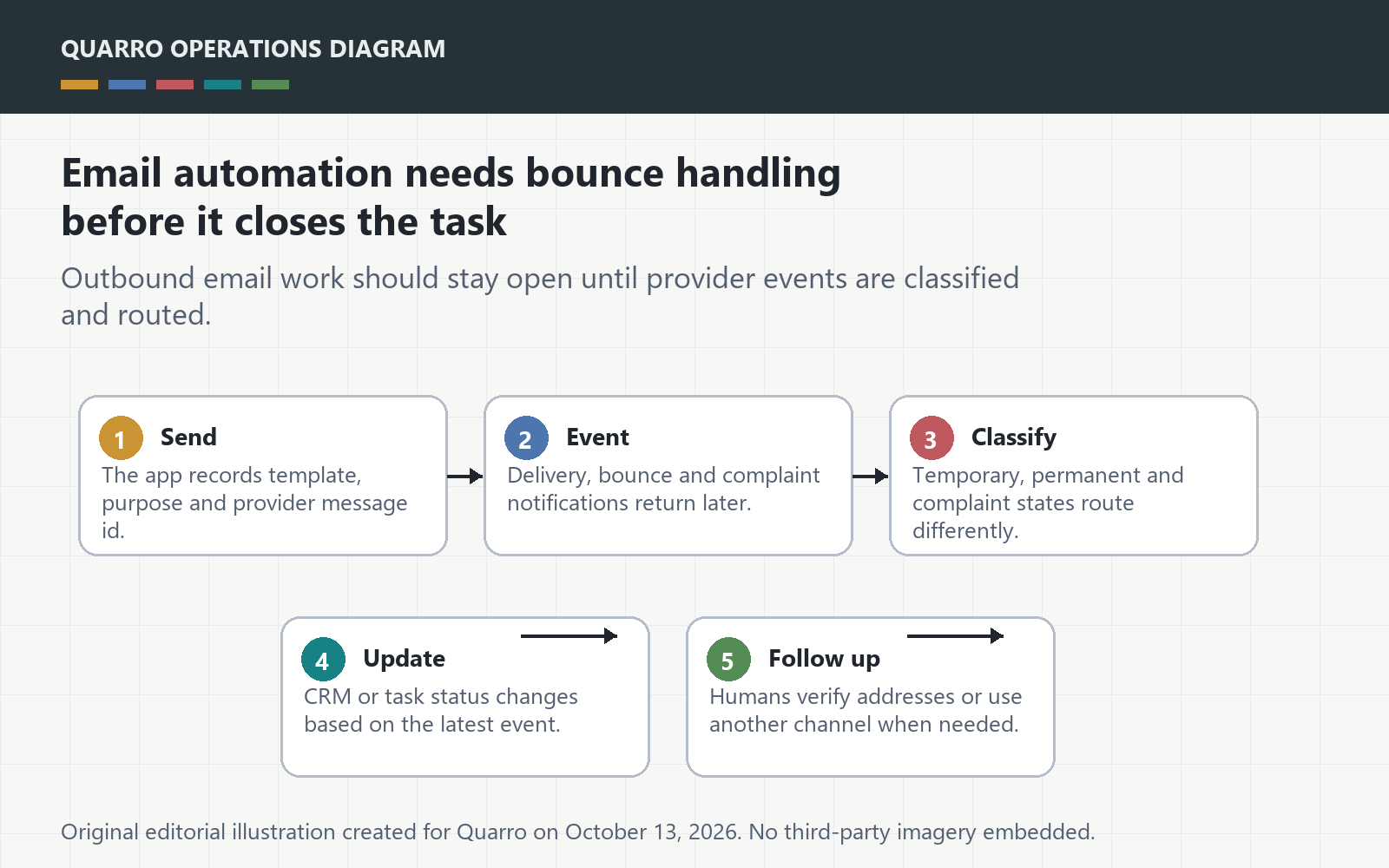
The answer: close on delivery state, not send call
An automated email task is not complete just because the send request succeeded. Delivery systems can report bounces, complaints and delivery events after the application has already moved on, so the workflow needs a way to listen, update status and route follow-up. Otherwise the CRM says contacted while the customer never received the message.
Listen for mail events as business events
AWS SES documentation describes notification contents for bounce, complaint and delivery notifications, including message and recipient details. SES is only one implementation example, but the design point is broader: outbound email should produce events that the business workflow can understand.
Separate temporary failure from permanent failure
A temporary issue may justify retrying later. A permanent bounce may require suppressing the address, asking a human to verify contact details or routing work to another channel. A complaint should usually stop similar mail and alert the owner. These are different workflow states, not one generic error.
Make the record useful to support
Support needs to see when the message was attempted, which template or purpose was used, the recipient address, the provider message id, the latest event and what action the system took. Avoid exposing raw technical payloads as the only evidence; staff need a plain-language status and a link to details.
Start with the emails that create work
Prioritize passwordless login links, invoices, appointment notices, renewal reminders and human follow-up promises. If a failed email leaves a customer waiting or a staff member thinking work is done, it deserves bounce handling. The takeaway: send automation is only operationally complete when failure comes back into the workflow.