
Custom software
A CSV export can turn customer text into a spreadsheet formula
Review CSV exports for the application that will open them. Valid field quoting alone does not establish safe treatment of formula-like customer text.
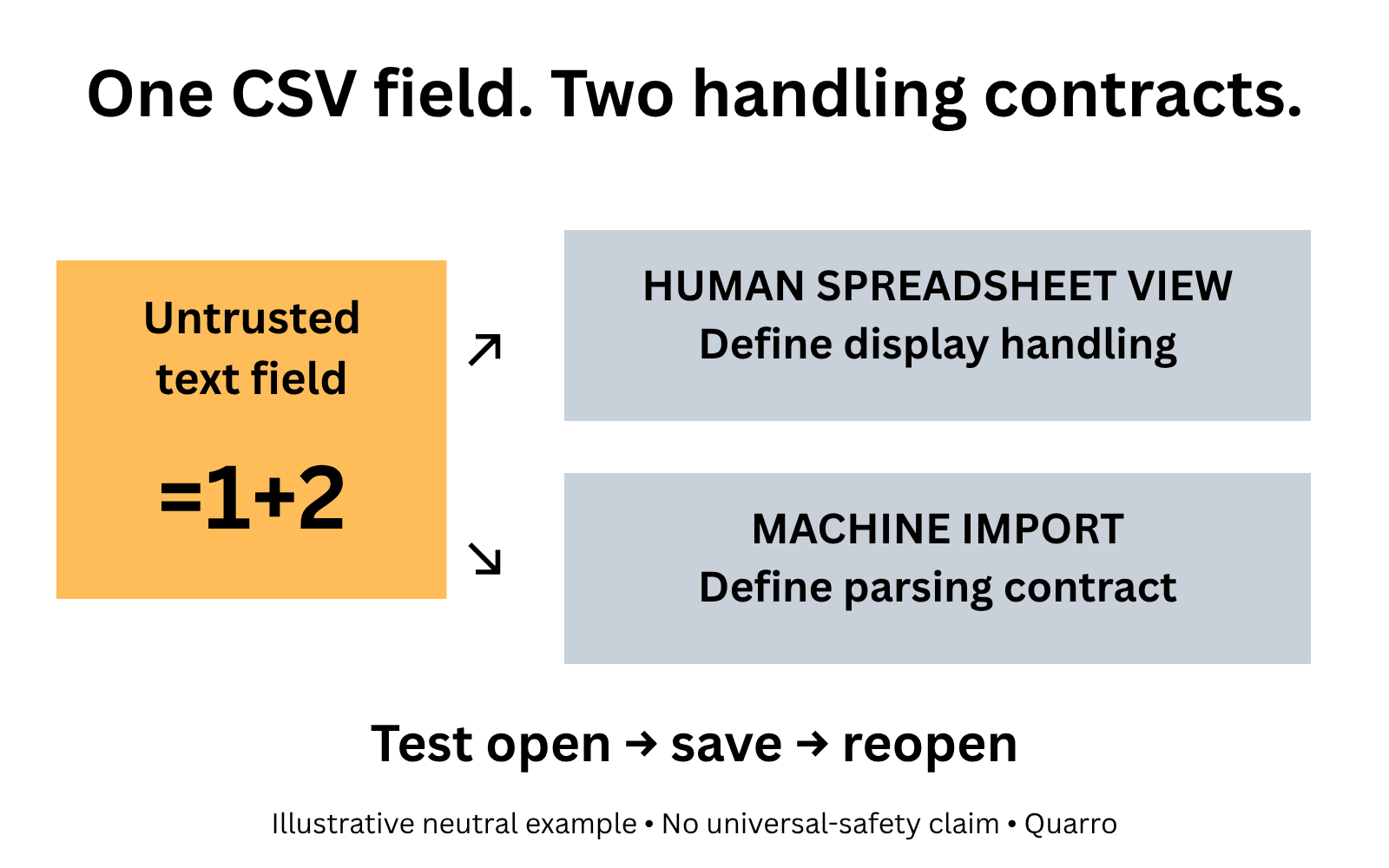
The exported text may behave differently when opened
A support tool stores a customer-supplied text field and exports it to CSV. An analyst opens the file in a spreadsheet. A value that the website treated as text is now interpreted as a formula.
The harmless illustrative string =1+2 makes the distinction visible: a person may expect those four characters, while a spreadsheet may treat them as an instruction to calculate. This example is not a client incident or a demonstration of a harmful payload.
For internal-tool owners, the boundary is the receiving application. Producing a valid CSV file does not settle what that application will do with every cell.
Separate file syntax from cell interpretation
CSV quoting helps represent delimiters, quotation marks and line breaks inside fields. It does not by itself establish that a spreadsheet will treat formula-like values as plain text.
OWASP's CSV Injection guidance describes this risk for untrusted input and warns that escaping approaches can behave differently after saving and reopening a file. It also notes trade-offs between spreadsheet-oriented mitigation and later machine processing, and the absence of one universal sanitization strategy for all consumers.
The practical response is to define the supported destination. A CSV intended for analysts to open interactively and a data exchange intended for another system may need different contracts. Naming those uses is more useful than declaring every exported file safe because its separators are correct.
Keep an authoritative value and a deliberate export policy
A proposed design should preserve the original authorized business value in the source system. Apply a documented export policy at the output boundary, and make sure developers understand whether that policy changes the underlying field value.
Do not indiscriminately remove punctuation from every field. A minus sign can belong to a legitimate numeric amount, and an identifier or note may require its exact characters. Column meaning matters alongside the destination application's behavior.
Where a spreadsheet format supports explicit cell types, evaluate whether a text-typed workbook is a better human-facing artifact. That is a design option, not a guarantee: verify the actual writer library and receiving application rather than assuming a filename extension prevents interpretation.
Test the workflow people really use
Prepare a small synthetic export with ordinary text, the benign formula-like example, embedded separators, quotation marks and line breaks. Include legitimate values whose punctuation must remain intact. Use an isolated test context with no real customer information or harmful formula payloads.
Open it in each supported spreadsheet application and inspect the resulting cell values and types. Save and reopen it, because the analyst's workflow may include that step. If the file is subsequently imported into another system, check that handoff too.
Record the application and version tested, expected treatment and any altered values. An initial open that looks correct is not proof that every later consumer preserves the same behavior. If a consumer is unsupported, say so rather than extending a safety claim beyond the evidence.
Make the export choice understandable
An interface can distinguish a spreadsheet-viewing download from a machine-oriented export when the product genuinely supports both. Explain the intended use in plain language and document any transformation that affects downstream processing.
Access controls still apply to exported records. Treating text safely does not authorize sharing the data, and a safe-looking spreadsheet should not invite users to ignore security warnings. Review export content and permissions separately from formula handling.
Start with the CSV most often opened by staff outside the source application. Trace who supplies its text, who opens it and what happens after saving. The useful outcome is a tested, bounded export contract—not a promise that an escaping trick makes every spreadsheet and integration safe.