
Integrations
Why a successful catalog import can still be missing products
A successful response proves that one API request worked. It does not prove that an integration read the entire catalog. Give each traversal an explicit completion condition before downstream teams rely on its results.
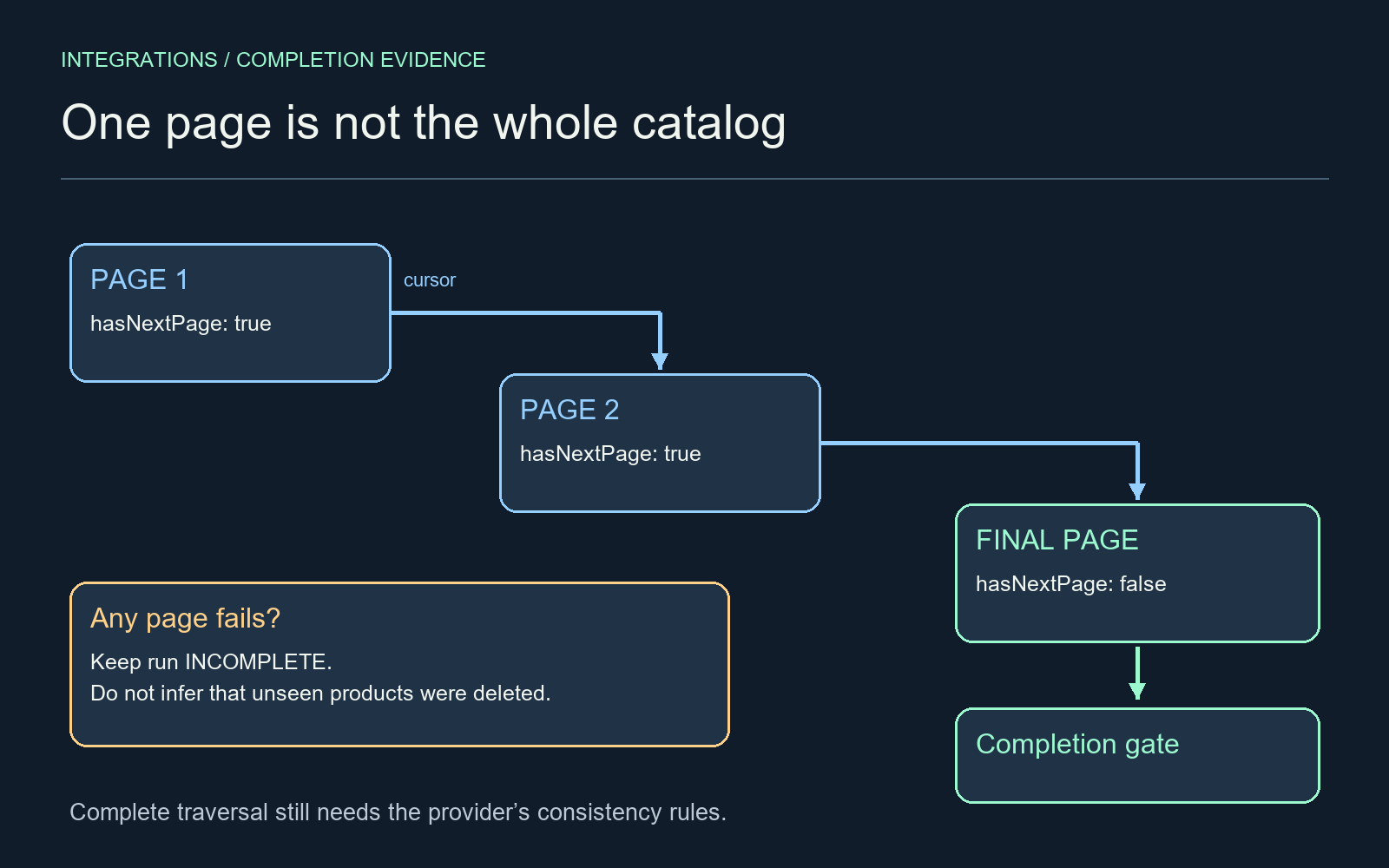
Treat completeness as a separate result
An ecommerce operations manager may see a green import status while the merchandising team cannot find some products. One plausible cause is that the integration processed a valid first page and treated that page as the entire collection. The central improvement is to distinguish request success from traversal completion.
Consider an illustrative retailer adding a new reporting connector. A small test catalog fits on one response page, so the test passes. The production catalog spans several pages. If the connector never follows the continuation cursor, every processed product can look correct while the overall dataset remains incomplete.
Follow the documented continuation signal
Shopify’s GraphQL pagination documentation describes connections and PageInfo. For forward pagination, hasNextPage indicates whether further results exist, and endCursor can be supplied as after on the next request. These fields provide the traversal signal; a successful HTTP response alone does not provide it.
Keep the connection, filters, ordering and API version consistent within a run. A cursor is a position in that query context, not a business identifier or an instruction to advance a numeric page counter. Nested collections may have their own pagination, so a complete product list does not by itself prove that every nested collection was fully read.
Leave a completion record for support
A proposed run record should contain its query definition, start time, last successfully stored page, next cursor, processed unique identifiers and final status. Only mark the run complete after the documented terminal condition and any application-level error checks have passed. Preserve an incomplete status when a page fails or an API limit prevents finishing.
Store page results before advancing the durable cursor. If the process stops between those steps, a replay may occur; processing should tolerate that replay without duplicating business records. A repeated cursor or an unexpected lack of progress should stop the run for investigation rather than produce an endless loop.
Do not turn an incomplete scan into deletion
The most consequential error is to treat every absent item as removed. If a catalog mirror retires products that were not seen in the current scan, a partial run can become a destructive synchronization event. Gate any absence-based action on a verified complete run and the source system’s deletion semantics.
Even a completed traversal is not automatically a point-in-time snapshot of a changing catalog. Check the provider’s consistency behavior and choose an appropriate extraction strategy. Where changes can occur during the scan, reconcile identifiers and updates afterward or use a documented bulk or snapshot facility suitable for the workload. Do not infer a snapshot guarantee from cursor pagination.
Test beyond the small catalog
Create a controlled test dataset that spans more than one page. Verify a failed middle page, an interrupted run, a repeated page and a last page with fewer items. Check nested records separately. Compare the resulting identifier set with the known test set; counts alone can conceal one missing and one duplicated record.
Editorial hypothesis: a cursor staircase ending at a completion gate will help maintainers ask for terminal evidence when an import looks successful. The variable is the completion-focused diagram. Reader behavior, missing-record rates and support savings are unmeasured. This is a proposed engineering review, not a claim about a particular merchant’s integration.